Desktop App · Windows & macOS · Free
Messier Catalog Builder icon

Messier Catalog Builder

A free desktop application for planning and logging sessions across all 110 Messier objects, entirely offline on your own computer. It's the companion to the Caldwell and Sharpless Catalog Builders, built the same way.

Download freeBrowse all tools

The Messier Catalog Builder is a free desktop app for planning and logging your sessions across all 110 objects in the Messier catalog — the galaxies, clusters and nebulae that make up the backbone of any deep-sky imaging list. Nearly the whole list sits in the northern sky, so it's well within reach for astrophotographers across North America and Europe.

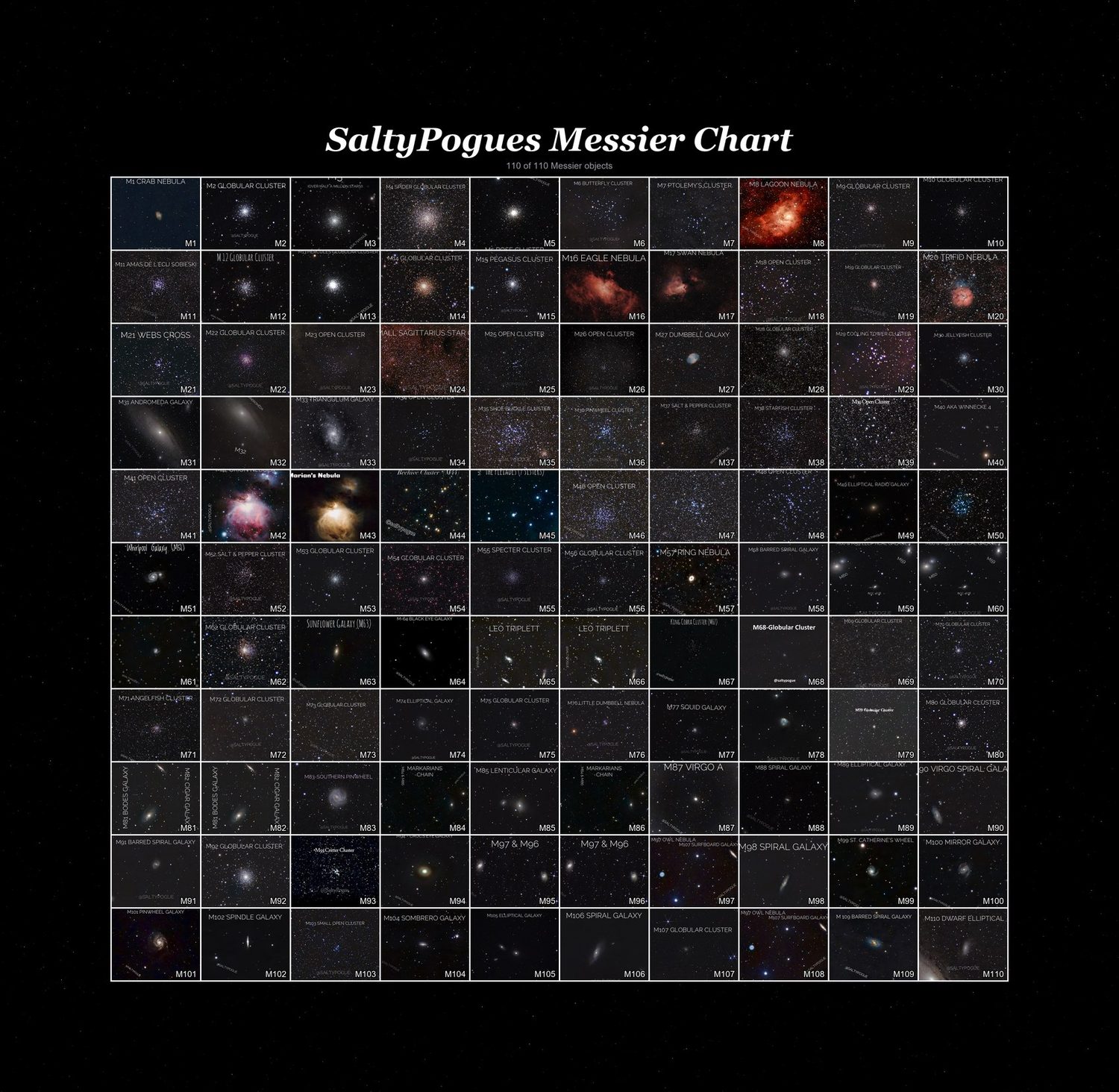
It lays out the full catalog as a single chart, one tile per object. Drag your own captures onto the grid — name a file like M42.jpg or M31.jpg and it drops into the right tile automatically — and watch your progress counter climb as you fill in the catalog.

For each object you can log your exposure time, sub-length and count, gain, and the equipment you used, along with your own notes. Over a season (or several), it builds into a complete record of what you've captured, what's left, and what settings worked well on a given target.

It's a native desktop application rather than a web page, so it runs offline on your own machine and your logs stay local — nothing is uploaded anywhere. Available for Windows and macOS (both Apple Silicon and Intel). It's also the direct companion to the Caldwell and Sharpless Catalog Builders below, so if you track all three lists you can use the same workflow across every target you image.
Screenshots

The full Messier chart
The full Messier chartAll 110 objects on one chart, filled in as you capture them.
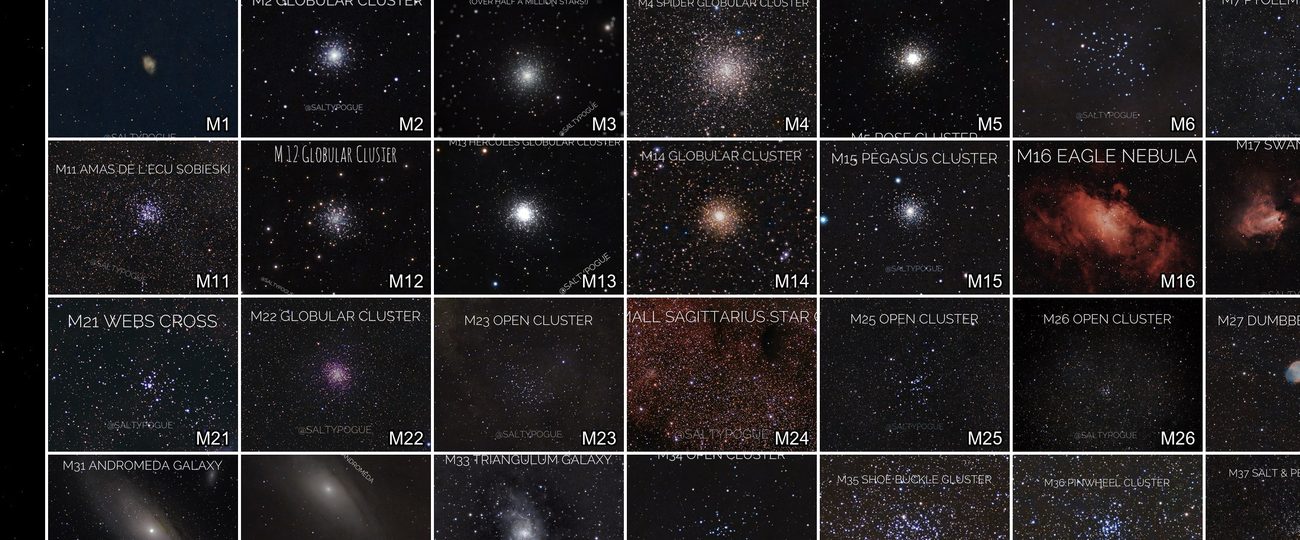
Close-up on the chart
Close-up on the chartYour own captures drop straight into their tile.

Frequently asked questions

Is it really free?

Yes, completely free with no account, sign-up or subscription.

Does it need an internet connection?

No. Once installed, it runs entirely offline on your own computer. An internet connection is only needed to download it in the first place.

Where is my session data stored?

Everything you log is saved locally on your own computer. Nothing is uploaded to a server, and your data is yours to back up however you like.

I'm on Windows and my antivirus flagged the .exe — is it safe?

Yes. Some antivirus tools flag any new or less common .exe file as a false positive, simply because it hasn't built up a reputation yet. The app doesn't access the internet or collect any data.

I'm on a Mac and it says the developer can't be verified — what do I do?

macOS blocks apps that haven't been notarized by Apple by default. Right-click (or Control-click) the app and choose Open once — after that, it'll launch normally.

What exactly does it log for each object?

Exposure time, sub-length and count, gain, your equipment, and your own notes — everything you'd want to look back on when you revisit a target.

What are the Messier objects?

The 110 star clusters, nebulae and galaxies catalogued by Charles Messier in the 18th century — the classic beginner-to-advanced target list every deep-sky imager works through.

What's that counter in the corner, like “110 of 110”?

A running tally of how many objects in the catalog you've filled in with your own photo, so you can see your progress through the whole list at a glance.

Ready to start logging sessions?

Free, offline, and your data stays on your computer.

Get the PDF Checklist Companion
Version 1.3 · Updated November 2026
cards
Powered by paypal